
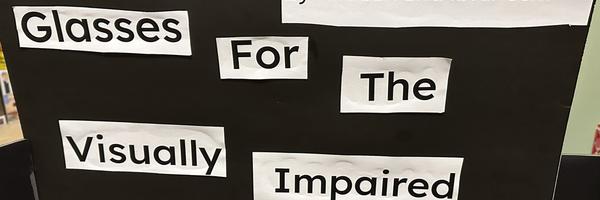
Vision Within reach: accessible glasses for the blind
Armaan Makhdoom, Ibraheem Shahid
Al-Amal Academy
Grade 8
Presentation
No video provided
Hypothesis
Ultrasonic sensors send out sound waves and measure how long they take to bounce back. If we put these sensors on a pair of cheap glasses, they will detect obstacles and alert the user with a buzz sound. For someone visually impaired, that means they can get around easily and safely. Even though the materials cost less, the sensors still do their job by detecting objects within a specific distance.
Research
- Vision impairment occurs when a person's contact lenses or glasses do not work properly, and they cannot see, regardless of the condition or type of lenses they use. There are various solutions to this, the most common of which being a walking cane, which many people use when they have weakened conditions. In many places, they have letters called Braille which is the universal language for the visually impaired. It's so that you can physically feel and help blind people who can not read due to their condition. Electronic devices are another solution that can incorporate sensors and other materials to assist them. Electronic devices are the method we will use to assist the visually impaired.
- Assistive devices helps the visually impaired navigate safely by touching objects and detecting surfaces, and also help them read and recognize texts so that they can live a better and safer life. Thanks to inventions like phones, instead of reading text, it can easily be listened to on YouTube or other streaming devices that you can use.
-
- Our idea is unique and special because of the fact that you don't need a walking cane, and it will buzz once you are within a close radius of a wall or object, ensuring no danger. Perfectly safe and amazing for the visually impaired.
- There are four main types of blindness that most people experience: Total Blindness, Partial Blindness, Peripheral Vision loss, and central vision loss. The first Total Blindness is pretty simple; the person can not see anything; however, our sensor can help detect nearby objects. Next are Partial Blindness and Peripheral vision loss. For Partial Blindness, they can only see blurry shapes, and for Peripheral Vision loss, they can only see in front of them, and visions on the sides are completely blocked. Do keep in mind that there are different types of blindness, such as colour blindness.
Key terms Vision impairment: when a person's can not see or can barely see. Assistive Devices: help the visually impaired navigate safely Braille: It's like letters that you can feel by feeling the ridges and bumps. It’s also the universal language for the blind. Arduino Nano: The Arduino Nano is a compact, programmable circuit board that serves as the brain of our project. It reads data from sensors and sends signals to other components. Vision Loss: There are four main types of blindness: total, partial, peripheral vision loss, and central vision loss. People with total blindness cannot see anything, while those with partial or peripheral vision loss can only see limited or blurry areas. On the other hand, central vision loss affects the center of sight, leaving only side vision clear, and there are also other forms, like colour blindness.
Braille: more in depth explanation Braille is a tactile writing and reading system that uses patterns of raised dots arranged within a six-dot cell to represent letters, numbers, punctuation, and other symbols. It is designed to be read through touch by individuals who are blind or visually impaired. * Each Braille character is formed by different combinations of six possible raised dots, allowing for 64 unique configurations.
Uncontracted Braille * Each letter is written individually.
Example: The word people would be 6 uncontracted letters
Variables
Manipulated Variable
- The distance between the glasses’ sensor and the obstacle.
Controlled Variable
- The vibration intensity or whether vibration is activated at each distance. ( 10m, 20m, 30m ) which works and which does not. Responding Variable
Responding Variable
-
The same ultrasonic sensor
-
The same vibration motor
-
Same objects used for all trials
Procedure
Procedure
Step 1: Arrange and Attach Components Plan where each part will go and make sure everything fits comfortably. Use hot glue to attach each piece securely, keeping the sensors facing forward and other parts neatly organized.
Step 2: Connect the Components Use wires to connect all the parts. Make sure that no cables are loose or crossed.
Step 3: Solder the Connections After confirming that everything is properly connected, connect each joint to make the setup permanent.
Step 4: Create and Upload the Code Write the code that controls how the system works, including how the indicators respond to detected objects. Connect the project to a computer using a data cable. Step 5: Test the Project Power the project using a portable source. Move objects closer to the detection area to test how it responds. Check that the indicators activate when an object is detected.
Step 6: Demonstrate and Record Results Test the system in different conditions and distances. Record how well it detects objects and when the alerts activate. Summarize your observations and note any ideas for future improvements.
Observations
Why we accidentally bought the wrong buzzer .
We thought we could solder the buzzer directly onto the board, but when we got the buzzer and tried to solder it, we realized that the pins were too big.
Reason for the missing resistor
When we did our research for the parts we needed, it said that since the LED would not be on the whole time, it would be fine. However, upon testing, we realized that the LED was burning out way too fast.
We carried out a number of tests to determine why the first prototype was not working. Our objective was to see how the ultrasonic sensor reacted in different scenarios and see whether the problem stemmed from software or hardware. We started by testing the sensor at various distances. We positioned items at precise distances from the glasses, such as 10 cm, 20 cm, 50 cm, and 1 meter. When an object entered the predetermined range, we anticipated that the buzzer or alert system would consistently sound. But the outcomes were not always consistent. The object was occasionally detected by the system, and other times it did not react at all.
We also checked the hardware connections by:
-
Inspecting all wires.
-
Confirming correct pin connections.
-
Testing the ultrasonic sensor separately with a example code.
When the sensor worked correctly with the example code, we concluded that the hardware was functioning properly. This confirmed that the problem was in our original program. After reviewing the code carefully, we discovered that the trigger pin command was repeated incorrectly, which interfered with the timing sequence. Once we corrected this error in the second prototype, the testing process showed stable and accurate readings.
How we corrected the design
To avoid loose contacts, we first thoroughly inspected all of our wiring and ensured that every connection was correctly soldered. Securing the components was a significant improvement because our first prototype's unstable wiring led to inconsistent performance. To make sure the LEDs, buzzer, and ultrasonic sensor were operating properly and reacting at the appropriate distances, we also updated and tested the new code. We conducted several tests to verify that the system was accurate, dependable, and stable after uploading the updated code. These modifications greatly enhanced our second prototype's durability and performance.
Next, to make the glasses look better we focused on improving the appearance and comfort of the glasses. We added foam padding to the nose bridge and the sides so they would feel softer and more wearable. This made the device more comfortable for the user and gave it a more finished look. Instead of feeling like a rough prototype, the added padding helped the glasses look and feel more like a real assistive product designed for everyday use.
Analysis
During our first test when making the Visually Impaired Glasses we used cheap materials and bad code that cost us the reason why the glasses failed to work. The reason why we used such cheap materials was because of our purpose, we wanted to make it way more affordable so that others could afford it. The price that we chose was about 30 dollars which was simply too cheap to get a working model out of the glasses. The buzzer and sensor both malfunctioned due to this poor planning and code that simply did not work in hand with the overall model in general.
The original prototype's problem started from the line digitalWrite(Trig_pin, LOW) being used multiple times when it should have only should have executed once. The trigger pin in sensor programming must follow a very precise timing pattern: In certain parts of our code, the command to set the trigger pin LOW was repeated. This duplication caused the Arduino Nano to repeatedly reset the trigger signal before the pulse could correctly finish its cycle. In conclusion, neither a clean pulse nor an accurate detection of the returning echo signal could be sent by the ultrasonic sensor.
First, the first prototype's functionality and its issues:
The first prototype used an ultrasonic sensor to assist visually impaired people in identifying obstacles. The ultrasonic sensor sent out a sound pulse, and the system measured how long it took for the sound to return after bouncing off an object. After calculating the distance, the Arduino would notify the user if something was close by by producing feedback like a sound or vibration. However this is what we expected of the first prototype, we were far from the correct model.
It followed this process:
-
The trigger pin sends a short and small ultrasonic pulse.
-
The sound wave keeps on traveling forward until it hits an object.
-
The echo pin receives the reflected sound wave.
-
The Arduino calculates the distance based on the time difference that the chip detects.
-
The output device (buzzer) activates and makes a vibrating noise if the object is within a certain range.
However, the prototype did not function properly due to an error in the code.
However, the first prototype's physical design was not very good despite its compelling concept. Without a structured base and plan, the parts were put onstraight onto a typical pair of glasses. The Arduino board, wires, and ultrasonic sensor were all visible and placed in a weird way. The gadget appeared heavy and disorganized as a result. The glasses were uncomfortable to wear due to the uneven weight distribution, which is very important in assistive technology.
Additionally:
-
The wiring was visible and cluttered.
-
There was no protective casing for the electronics.
-
The sensor placement did not look symmetrical or professionally aligned.
-
The overall build looked more like a temporary experiment than a finished product.
Conclusion
To sum up, this project demonstrated the significance of testing, problem-solving, and improvement in the engineering design process. Due to wiring problems and coding mistakes, the first prototype of the visually impaired glasses did not function properly. Inaccurate readings and inconsistent feedback from the buzzer and LED were the result of the ultrasonic sensor's malfunction. Despite its failure, the first model assisted us in pinpointing the precise issues that required attention. We fixed the code, enhanced the wiring connections, and ensured that every component was securely fastened after examining the errors. To guarantee precise obstacle detection, we put the system through several tests. By detecting objects at various distances and warning the user with sound and light signals, the second prototype was successful.
Application
This project is useful because visually-impaired people rely on tools like walking canes to navigate. Our results demonstrate that low-cost ultrasonic sensors can reliably detect obstacles. People can use these glasses to:
-
Walk safely without relying only on a cane
-
Get warnings (vibration/beep factor ) about objects at different distances.
-
Makes it so people don't have to rely on others for support
If we were to improve this experiment, we would:
-
Make the glasses lighter and more comfortable.
-
Test with more distances so it can detect further.
Sources Of Error
Why we accidentally bought the wrong buzzer .
We thought we could solder the buzzer directly onto the board, but when we got the buzzer and tried to solder it, we realized that the pins were too big.
Reason for the missing resistor
When we did our research for the parts we needed, it said that since the LED would not be on the whole time, it would be fine. However, upon testing, we realized that the LED was burning out way too fast.
Citations
https://www..org/science-fair-projects/project-ideas/Elec_p108/electricity-electronics/obstacle-detecting-glasses https://shop.letsenvision.com/en-ca/products/ally-solos-glasses?variant=56022633414981
https://docs.google.com/presentation/d/1FUTD_6sqgu-bozm_i90WtPFW49A5k10qUyP5oyd6Krs/edit?slide=id.p#slide=id.p https://www.istockphoto.com/photos/braille-blind-loss-touching https://slidesgo.com/
Acknowledgement
Without these people, we would have had a tough time Ataullah Makhdoom - Helped perfect the code Muhammad Shahid - Helped solder the components for the glasses Louise Savari - Overall assistance with our project and professional insights. We would like to thank all of these people for helping us and guiding us through the process of the science fair. Their support and knowledge helped us a lot during this project